I always enjoy Christmas day with the family. But no matter how good a day we have together, it can never quite duplicate the sense of wonder when one is 8 or 9 and you come down the stairs to see the Christmas tree surrounded in gifts brought by Santa.
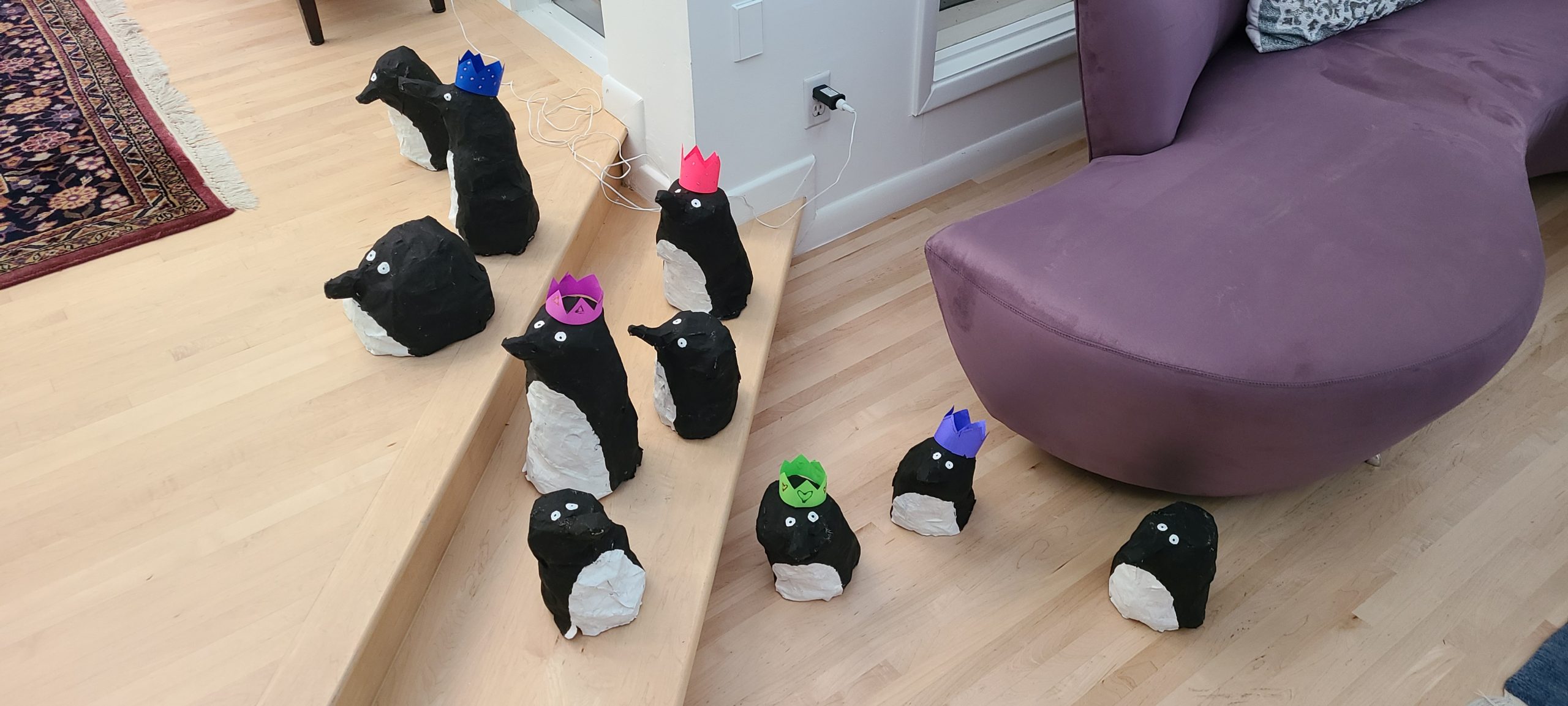
This year, my daughter (an illustration student at Art Center in Pasadena, see her work on instagram @meliameyer) spent what must have been weeks creating 72 paper mache penguins as a surprise art installation for the family on Christmas morning. Never since I was at a single digit age have I had so much fun waking up at Christmas. This is what it looked like coming out of my bedroom:
Here are a few of the pictures:
Category: Art |
Comments Off on Christmas Wonder, with Penguins
A while back I wrote that the Mona Lisa was easily the most disappointing art experience of my life (I believe I put the viewing of Seurat's Grande Jatte on the other end as exceeding expectations.) If you are not sure why I dinged Da Vinci's lady so harshly, see this.
Watching this scene as she does every day, I now understand her smile.
I am going to a trade show in a month or two. I bought one of the standard backdrop things and needed some art for it. I was quickly told that all my attempts looked like bad powerpoint slides transferred to the backdrop. So I tried a site called 99designs. They have a whole pool of freelance designers that compete for simple jobs - logos, wordpress templates, backdrop art, etc. I committed $250 to a design contest for my backdrop (the site takes some cut of that and the rest is a prize for the winner). That was 2 days ago. At this moment I have 35 different designs sitting there for me to comment on and choose from. Almost any one would be acceptable, and many are fabulous.
This strikes me as a classic victory for the division of labor. I am getting what seems like a crazy amount of good work for $250, work I could not duplicate myself for 100x that. I suspect that some of this stuff is super-derivative and is banged out using simple tools in just a few minutes, but so what? They can do something fast that I can't do at all and we all benefit.
For years (as an engineer) when I made fun of college students not doing any work or not studying anything of actual utility, I often used art students as an example. Today I offer my apology.
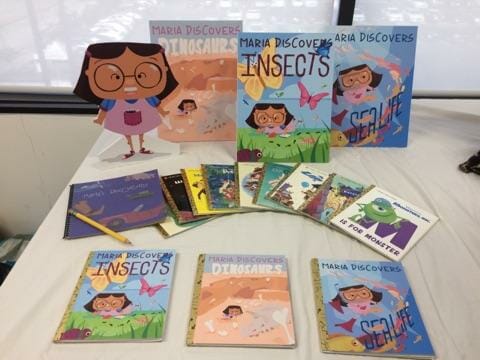
My daughter is an illustration major at a college called Art Center in Pasadena, CA. I don't know if this is usual for art schools or if it is just this one college, but these kids do an insane amount of work. My wife and I both attended Ivy League schools and my son went to Amherst, all of which are high on rankings of top academic stress schools, but none of us ever worked like the kids at Art Center. My daughter coasted to A's in one year at Rice University, which she would describe as a cake walk compared to art school. Her art school features five 5-hour classes a week plus each class can and does issue up to 9 hours of homework a week. Typical weekly assignment for 1 course: draw 300 hands.
In addition to all of this there are mid-terms and finals. Below is one project my daughter did for one course's final exam, a set of children's books put together from scratch with her own art. This strikes me as an insane amount of work.
I will add that I have become reconciled to art school in other ways. To some extent my daughter's false start going to a major university in a liberal arts program was a result of our family's expectations about college. Our bias was that a liberal arts degree from a highly-ranked university was the path to success. Art school was for slackers who ended up sleeping on the street in a refrigerator box. But you know what? Art school teaches a real craft and teaches it rigorously. Can Yale say that about its gender studies program?
One caveat to this is that my daughter can write. She went to a high school where all the assignments and exams were essay-based. She can toss off a polished 5-paragraph essay in her sleep. If this were not the case, I would worry about this one aspect of art school. I consider writing (and remember, this comes from a mechanical and aerospace engineer) to be the most important core skill and an education that does not teach writing or provide a lot of writing practice is suspect in my mind.
I was on a plane with my daughter flying back the other day from Florida where I had run my marathon. She was just doodling around on her Mac notebook, just using the track pad to do some drawing. This was the result:
I first saw this over the summer in Bruges. If I had to name one place in Europe where I expected to be bored, but was in fact fascinated, it was the lace museum in Bruges. They had a lot of examples of super-fine lace, as well as a history and examples of how it is made. The best part was that upstairs, they had women actually doing hand lace projects that you could go watch. I did not get a video of it but here are a few examples from the web that give the basic idea. Here is hand-making of lace:
and here
and here is an insane machine for making it automatically
The super-fine hand-made lace in the museum in Bruges was unlike anything I have ever seen. An order of magnitude finer than even the best lace you have likely seen.
I am in DC to testify tomorrow on the renewal of some recreation legislation that is currently before the House National Resources Committee. With some time on my hands this afternoon, I walked around the Mall.
I found myself in some art place called Nat Anal's Art Gallery. My first impression was that this guy was probably going bankrupt, since he seemed to have way too much space on some really expensive real estate. This impression was only confirmed when I looked at some of the artists he was repping.
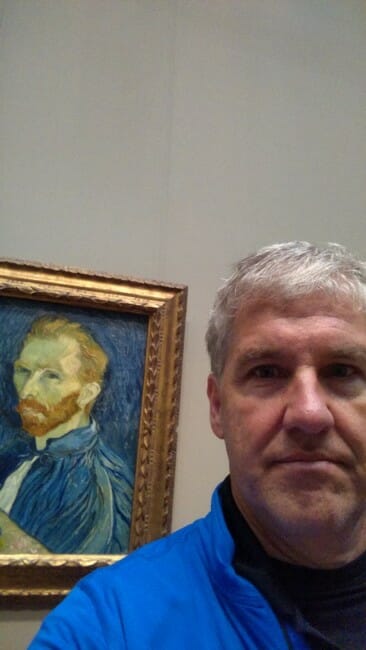
Take this guy for example. What the hell? Does this guy even know what a reasonable range of skin colors is? Is this supposed to be a red-headed Vulcan? I don't think this guy has much of a future in painting.
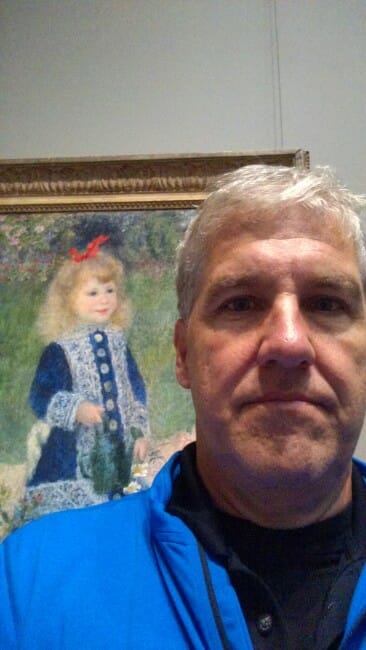
And look at this next one. The girl's face is blurry. I can understand how you might take a picture out of focus, but how do you paint out of focus? These guys are going nowhere.
This one is just insulting. The artist didn't even bother to finish it. What, did the rent just come due and he had to run the picture down to the gallery half-finished just to get a bit of cash?
He couldn't get a better model? Pay a few bucks more and get a freaking model with decent posture. And just because a big rat comes and sits down in your studio you do not have to paint it into the picture.
This gallery is so cheap it's cranking out copies of the same art. What, did they get a big order for a 100-room motel 6?
This is actually pretty good, but good god is this guy, whoever he is, full of himself. Let's make a note never to put that guy in charge of anything.
Postscript: I actually ran inside to get outside of a brief rain shower and to see this painting, among a couple of others. I am a big fan of Pissarro, particularly his city scenes.
The Napoleon on horseback that was in Vienna was way more spectacular than the studio pose. I still need to do my European trip roundup and will do it soon, now that I finally got the upload size limit on my server fixed.
One problem with art books is they will have some exercise to draw a face, and step one will be an oval and step two will be a few more ovals, and I am following along well, and then step three the whole face is suddenly drawn in where the ovals were. Art books all do this and it drives me crazy. Well, at least the guy in the linked video shows every single little step. And it still seems a miracle that the picture emerges.
I was at a couple of art shows during my vacation, and saw a lot of photography. A staple of photography are the shots of Italian allies and colorful sea villages. I have one on my wall that I shot myself, the classic view you have seen a million times of Vernazza, Italy. My wife observed that these photos at the shows looked different than mine (she said "better").
The reason was quickly apparent, and I am seeing this more and more in the Photoshop world -- all the artists have pumped the color saturation way up. I had to do this a bit, because the colors desaturate some when they get printed on canvas. But these canvases friggin glowed. I see the same thing in nature photography. Is this an improvement? I don't know, but I am a bit skeptical. It reminds me a lot of how TV's are sold. TV pictures tend to be skewed to over-bright and over-vivid colors because those look better under the fluorescent lights of the sales floor. TV's also tend to have their colors tuned to the very cool (blue) color temperatures for the same reason. None of this looks good in a darkened room watching a film-based movie. Fortunately, modern TV's have better electronics menus and it is easy to reverse these problems, and my guess is there is less of this anyway now that many TV's are sold online based on reviews rather than comparison shopping in a store.
I am left to wonder though how this new super-vivid, over saturated photography would look in a home, and how it wears with years of viewing. Am I being a dinosaur resisting a technological improvement or is there a real problem here?
Earlier I tried drawing Earth-like planets. I wanted to try a gas giant. Here is the first shot at it:
Most of this is like the last project. The difference is in coming up with the flat map for a banded gas giant rather than for land and oceans. I finally cracked the code at the suggestion of someone online. I wanted to create the bands in great detail, but drawing line after line in different colors seemed tedious. He suggested taking a one pixel wide slice from a picture and then spreading it horizontally to get lines. I used a slice through the red rocks near Sedona, giving me nice Jovian colors. I then blurred the lines and then used Photoshop liquify and a pen tablet to squiggle the lines.
The rest is just a series of overlays to give the colors a bit more variance, and the halo and dark side like the planets before.
I guess I am easily distracted by geeky stuff. Yesterday I needed a fake / fantasy planet for a piece of art I am working on. So I thought I would just go find something open-source-ish someone else has done. That would have been the obvious 60-second solution.
But then I saw this site, which apparently is one for enthusiasts of - you guessed it - making planet and space art. So I thought I would play around with it. About 6 hours on the computer later, I have a planet and a lot of tools to make more, and actually had a surprising amount of fun doing it. First, the planet, click to enlarge:
The image you get when you click on it is only about a quarter of the full resolution of 5000x5000 of the original.
This is all done in Photoshop, faking the 3D and lighting effects, though there are tutorials and that same site discussing how to do this even better using 3D rendering. To make this, I started with a planet map using this tutorial. The land image I used as a texture seed is here. The final map looks like this (again I had to cut the resolution by 75% from the original 8000x4000).
The above was a bit dark so I ended up stacking two on top of each other with the top set to blend mode "screen" and this really made it pop. The cloud map I used a portion of is apparently a favorite among planet illustrators -- you can find it here. Again, here it is but reduced in size:
From these last two we select a large circle (of the same size from each) and spherize them in Photoshop.
Here it is before the atmosphere and shadow effects, which are layered on and can be adjusted after the fact
If anyone is really interested, I can send you the photoshop file with all the layers so you can see how it works. Update: The files are huge, about 500MB each, in part because I leave copies of all the resources I use in hidden layers. But here they are, one for the flat map and one for the planet: http://climatemovie.s3.amazonaws.com/planet test.psd and here: http://climatemovie.s3.amazonaws.com/continents.psd
I like to send my daughter, the artist, examples of people working in new media to help inspire her. This is pretty amazing -- 3D painting in layers of acrylic. These are NOT objects embedded in the clear plastic, its all painting in thin layers, like a 3D printer.
This is an original work by my daughter, with a bit of help from me, with a bi-directional interlocking tile, ala Escher (in pen and ink, on poster board). This is actually surprisingly hard to pull off. Though Escher did birds, he did not do a swan in this style. As usual, click to enlarge:
The trick is to take a square piece of paper, and rotate whatever you cut from two sides to the other two adjacent sides. We destroyed a lot of post it notes until we got there. You can still see the ghost of the original square, with corners at the tip of the swan's head, the top of its wing, under its wing, and at the bottom of the neck.